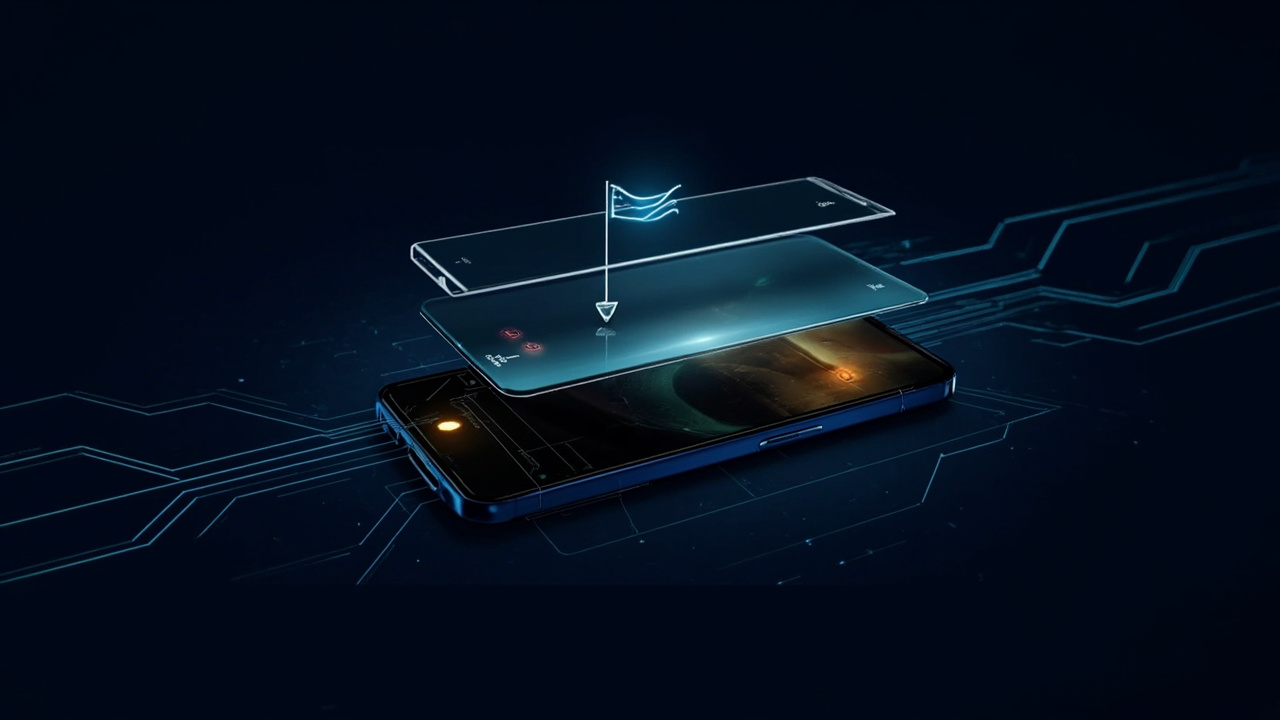
The line in Mika’s README that made me stop reading was this: it “works on a hidden background screen, so you can keep using your phone.” Every mobile agent demo I have seen takes over the screen. The agent taps, you watch, nothing else happens on the device until it finishes. Mika claims you can keep scrolling Reddit while it books something.
wangzan101/Mika was created on October 29, 2026. Four days later it had just over 5,100 stars, 30 published releases, and 195,165 lines of Kotlin spread across 1,351 Kotlin files, in a repo with 2,165 tracked files. Kotlin, not Python, and that turns out to be the whole story.
I cloned it and read the display code first, because that claim is where the engineering lives. What I found was a helper process running as the shell uid, creating an Android VirtualDisplay with the FLAG_TRUSTED bit, and an accessibility service dispatching gestures at that display ID instead of the default one. That is a considerably more invasive design than “run an agent on Android,” and it comes with consequences the README does not advertise.
The problem: VirtualDisplay is a system service, and your app is not
Android’s DisplayManager.createVirtualDisplay is a system API. A normal app calling it gets a display that is essentially decorative — apps render onto it, but it lacks the flags that make the system treat it as a real, focused, unlocked screen.
Mika solves this by running a second process at the shell uid. The launch line is in HelperProcess.kt:
CLASSPATH=<base.apk> app_process /system/bin --nice-name=<pkg>:helper \
  com.wangzan101.mika.shell.HelperMain <pkg> <Mika uid> <cert fingerprint>
app_process with the app’s own APK on the classpath means no extra binary is shipped or downloaded. The shell uid is the interesting part: shell holds permissions that ordinary apps do not, and Mika’s own documentation is upfront that pairing wireless debugging is required for app control. You enable wireless debugging, pair once, and the app talks to adbd’s exec: service over the local network to start that helper.
Inside ShellService.createVirtualDisplay, the flags are assembled by version:
var flags = FLAG_PUBLIC or FLAG_OWN_CONTENT_ONLY or FLAG_SUPPORTS_TOUCH or
    FLAG_ROTATES_WITH_CONTENT or FLAG_DESTROY_CONTENT_ON_REMOVAL
if (sdk >= Build.VERSION_CODES.TIRAMISU) {
    flags = flags or FLAG_TOUCH_FEEDBACK_DISABLED
    if (trusted) flags = flags or FLAG_TRUSTED or FLAG_OWN_DISPLAY_GROUP or FLAG_ALWAYS_UNLOCKED
}
if (sdk >= Build.VERSION_CODES.UPSIDE_DOWN_CAKE && trusted) {
    flags = flags or FLAG_OWN_FOCUS or FLAG_STEAL_TOP_FOCUS_DISABLED
}
FLAG_TRUSTED is the load-bearing bit. It is the difference between a virtual screen that behaves like a screen and one that apps treat as a phantom. FLAG_ALWAYS_UNLOCKED goes further: the agent’s display is unlocked even when the physical phone is locked, so a scheduled task can run while you sleep. FLAG_OWN_FOCUS plus FLAG_STEAL_TOP_FOCUS_DISABLED is the pair that makes the whole premise possible — the virtual display takes focus for itself without stealing it from your main screen. That is why the README recommends Android 14: the OWN_FOCUS combination only becomes available at UPSIDE_DOWN_CAKE.
There is a fallback for devices that will not grant the trusted flags, and it is honest about the cost:
Log.w(TAG, "createDisplay without trusted display flags, retrying", t)
Without trusted flags the display has no focus of its own, so the self-check page reports Advice.FocusShared — meaning the agent’s focus and the main screen’s focus can conflict. Mika retries without trust rather than failing, and then tells you your phone is in the degraded mode.
Why gestures need a display ID
Most accessibility code taps at the default display. Mika cannot do that: its virtual screen is a different display, and a tap dispatched without a target lands on the user’s actual screen. ScreenAccessibility.dispatch sets the target explicitly:
.dispatch(
    GestureDescription.Builder()
        .setDisplayId(displayId)
        ...
)
and every gesture and tap call takes a displayId parameter threaded down from AndroidScreen.displayId. The GestureDescription.Builder.setDisplayId call requires API 30, which lines up with the README’s “Android 12 or later” for app control.
Frames come back through an ImageReader attached to the virtual display’s Surface, not through AccessibilityService.takeScreenshot. AgentDisplay throttles to 10 fps by deferring a frame if less than 100 ms has passed since the last processed one, and drops stale frames via acquireLatestImage. The live preview in the chat is that same stream, downscaled to a short side of 360 pixels. The agent sees the screen through a 10 fps window, which is a real constraint on how fast it can verify that a tap landed.
The part I did not expect: a 620-line Chinese word list
I assumed the safety story would be a prompt telling the model to ask before paying. It is not. core/gate/IrreversibleDetector.kt is 620 lines of lexical matching that runs before write actions, and it is written primarily in Chinese:
val STRONG: Map<String, IrrevAction> = linkedMapOf(
    "支付" to IrrevAction.pay, "付款" to IrrevAction.pay, "转账" to IrrevAction.pay,
    "删除" to IrrevAction.delete, "撤回" to IrrevAction.delete,
    "下单" to IrrevAction.order, "购买" to IrrevAction.order, ...
)
The design goal is stated in the file’s own comment: “拿不准时宁可多拦” — when unsure, block more. The system prefers a false positive over a missed payment.
But the file is full of carve-outs that reveal how much edge-casing a real deployment needs. STRONG entries are skipped when preceded by 待 or 已 and followed by suffixes like 成功, 记录, 明细 — so “待付款” (pending payment) and “付款成功” (payment successful) do not trip the detector, but “立即付款” does. Then EXACT_PAY handles words that only count on the button itself, with a prefix whitelist:
val EXACT_PAY = listOf("收银台", "买单", "充值", "储值", "提现", "转出", "打赏", "缴费")
private val EXACT_PAY_PREFIXES = listOf("", "立即", "确认", "去")
So 充值中心 (top-up center) and 优惠买单 (discounted checkout) are entry points, not the act of paying. The English side is a separate list, and CONTACT_WORDS covers buttons where clicking silently sends your resume to a stranger: apply now, easy apply, say hi. The comment on that group notes these count as submissions because the button sends your application or greeting the moment you touch it.
Whether it matches depends entirely on the button label being in the list. SUBMIT_WORDS is the deliberate exception — it only matches exact equality, because “提交搜索” (submit search) should not be treated like a submission.
Ask mode asks about money, and only money
The mode switch in Settings is a single global flag. The docs/modes.en.md table is more interesting than it looks:
| Mode | Behavior |
|---|---|
| Ask (default) | Only the step that spends money is confirmed with you first. Sending messages, posting, submitting forms, deleting and changing settings are not asked about; they are just done. |
| Autonomous | Does not ask even before paying. |
Sending a message and deleting a file are not gated by default. That is a deliberate choice, and the docs do not soften it. The reasoning is that these actions are reversible in the user’s mental model while a payment is not — you can unsend in many apps, you can re-download a deleted photo, but money is gone.
Login, verification codes, and payment passwords are handed back to the human regardless of mode. The task pauses, the app moves to the user’s real screen, and Mika re-reads the screen afterward before continuing.
Here is the part that I think deserves more attention than the README gives it. docs/dev/roadmap.md has a section called 已知问题与暂缓 (known issues and deferrals), and its first entry says the final answer verification was turned off during development, by user decision:
开发阶段关掉了最终核查(
TaskRun里reviewFinalAnswer = false)
I confirmed this in the source rather than trusting the doc. Both call sites in app/src/main/java/com/wangzan101/mika/task/TaskRun.kt pass reviewFinalAnswer = false (lines 734 and 794). The AgentLoop.conclude method then takes this branch:
if (!reviewFinalAnswer) {
    val sources = review.sourcesOnly(task, answer, media)
    ...
    return TaskState.Succeeded(answer, verified = false, sources = sources, reviewed = false)
}
There is a whole verification subsystem in the codebase — Verifier.kt calls a separate model to check the answer against the evidence ledger, Grounding.kt is 533 lines of deterministic regex checking that quoted text and numbers in the answer actually appear on screen, EvidenceLedger.kt tracks everything the assistant read with redaction and truncation. It is good work by the look of it. And on the product path right now, none of it runs. The answer is returned with verified = false.
The same roadmap entry notes that in Autonomous mode, ConfirmDecision.judge returns early — before the ownApp check that would prevent the agent from operating Mika’s own interface — so that protection does not apply in autonomous mode either. The reasoning given is that operating Mika’s own UI might legitimately be part of helping the user, and it will be decided later.
Learning still works, which is why the deferral is tolerable for development. LearnGate.done checks the run outcome rather than the verification result: a run that succeeded, produced a RunOutcome.Done, and has no unconfirmed values counts as done, and skill drafting proceeds. SkillDrafter.Eligibility requires at least 5 non-failed action verbs, refuses to draft from an interrupted run, and skips drafting when the user already wrote the skill themselves during the task.
Verification, when it is on, is a two-layer check
The Grounding object is worth reading even though it is currently bypassed, because the approach is unusual: a deterministic checker runs after the model-based verifier has already said pass, and re-checks the text evidence with rules that do not depend on the model. Its doc comment explains the division of labor — the code checks what it can check accurately (does this literal string exist somewhere in the material?) and leaves semantic questions (is this number actually the quantity being asked about?) to the verifier model.
The rules are specific to what Chinese UI text does to a naive regex:
private val NUMBER = Regex("(?<!\\d)(?<!\\d[.,])\\d+(?:[.,]\\d+)*(?!\\d)([ \t]*(?:[亿万]|千(?![米克瓦卡帕焦])))?")
万 and 亿 are magnitudes that follow the number, but only with whitespace between — “1561 万热度” is a magnitude, while a punctuation-separated form is not. And 千米, 千克, 千瓦 are units containing 千, not magnitudes, which is why the negative lookahead excludes exactly those characters. Ordinals get their own pattern because “第2026届” is a value but “第5条” is not, and Top-N / No.N / #N are list positions.
The comment on REF_CITATION explains why plain \b boundaries would not work:
Java 的
\b把汉字当作单词字符,「@e46显示」里的 46 会被当成回答里的数
Java’s word-boundary treats CJK characters as word characters, so @e46显示 would parse 46 as a number in the answer. The code uses explicit lookaround assertions instead.
Before comparison, both sides are normalized: NFKC folding, zero-width character removal, thousands separators, 万/亿 conversion, punctuation and whitespace. Each answer line is checked against each material line separately — an answer’s line is never joined with the next one — and the “当前 App:” header line is excluded from counting as on-screen text.
The evaluation set has a holdout partition
Mika ships an on-device eval harness with 128 task files under eval/tasks/, and eval/README.md describes a tune/holdout split that a lot of agent projects skip:
41 "partition": "holdout"
87 "partition": "tune"
Roughly 30 percent held out, stratified per category. The rule is that the holdout results are only looked at when making a release decision, never used to tune prompts or knowledge, and if a held-out task is ever used for tuning it gets moved into the tune pool and a new task replaces it. Categories include irreversible (9 tasks, of which 2 expect confirmation and 7 expect succeeded), impossible (8, expecting failed), and barrier (5, expecting takeover) — the last two are the ones most agent suites omit, because a task the agent cannot do and a task blocked by a login are exactly where a system quietly learns to fake success.
There is a core test named TaskSetTest that checks each task parses, that ids are unique and match filenames, that per-category counts meet the documented minimums, that write tasks carry the right markers, that irreversible tasks reference a confirmation card, and that no task contains a local machine path.
The dependency direction is enforced by a test too. PackageDependencyTest parses imports across the source tree and asserts capabilities depend on core, core references no capability, capabilities do not reference each other, and that core/tool never imports core/uistate. The tool engine reaches screen state only through a SurfaceLayer interface carrying a screen id, tool, params, and result. That is the kind of constraint that keeps a 195K-line codebase from turning into a ball of mud, and it is checked in CI rather than in a wiki page nobody reads.
What I could not verify
I did not run the Android app. I have no device with a virtual display, so the display-flag behavior, the focus isolation, and the per-display gesture dispatch are read from source and corroborated by the project’s own self-check tooling and FAQ — not observed by me. The :core module is pure JVM, and its test suite does run: ./gradlew :core:test gives me 2,775 tests across 308 test classes, 0 failures, 2 skipped, in 2m51s. That covers the tool dispatcher, the grounding checker, the eval set validator, and the capability dependency rules, so the parts of this post that talk about internal logic are backed by executed assertions rather than by my reading of the source alone. The Android half — the display flags, the accessibility dispatch, the helper process — is not covered by that run and stays unverified.
I also want to be clear about what “on-device” means here, because it is easy to read the wrong thing into it. There is no Mika server, and the APK bundles a Linux sandbox and on-device OCR via ML Kit’s text recognition. But the agent loop calls a model provider you configure — your own API key, or a ChatGPT, xAI, or OpenRouter sign-in. The model runs wherever your provider runs. The “on-device” part is the harness, the screen, and the data handling, not the inference. The README lists DeepSeek, Qwen, Kimi, Zhipu, MiniMax, StepFun, Hunyuan, Baidu, OpenRouter, Anthropic, Gemini, OpenAI, xAI, Mistral, Groq, Ollama, and LM Studio as presets.
One more thing that the star count hides. The 5,100 stars landed on a repository with 309 commits from the author and 22 from the next contributor, out of 70 commits from the four people after that. The codebase is young and heavily single-authored, and 30 releases in four days is a fast release cadence for something that drives other people’s phones. The docs/dev/roadmap.md first item under “接下来” is running real tasks on real devices and fixing by root cause, which is the honest version of the to-do list for a project at this stage.
The part I keep coming back to
MainScreenSpill is my favorite file in the repository, and it is only 112 lines.
It solves a problem that only shows up after you have actually built this. An app can open another app from the background — a service, a notification deep link, a system picker — and the system puts that new app on the default display, which is the user’s real screen. Mika’s own virtual screen sees nothing change. The model concludes the tap missed and taps again, forever.
The fix is pure logic with no model in it. The comment enumerates the exclusions: not a task that was already on top before the action, not the launcher or recents, not the user’s own app being reopened, not a task the user touched during that window (if you cannot tell who opened it, assume the user did), and not the same task returning to the top because something else was moved away.
The reasoning that makes it careful: if the app that spilled to the main screen was the one the user was already using, it does not get moved back — that would yank an app out from under someone who is mid-task. The comment calls the resulting state [InUse] and says plainly: don’t move it.
There is a companion mechanism for the same class of problem in the opposite direction. When a task finishes, the apps Mika opened stay in the background on the page where they finished, so the next task continues from there. But an app playing audio or video at that moment gets closed, unless the task said to keep the music playing. Background tasks leaking foreground noise is the failure mode that would make people uninstall this in a week.
I do not know whether the spill detection is reliable across vendors. The reasoning has enough conditionals that I would expect OEM-specific breakage, and the compatibility self-check runs twelve checks in about a minute with a one-tap device report, which suggests the author expects variance. The FAQ notes that on Android 12 and 13 background work can affect main-screen focus, which is why Android 14 is recommended rather than required.
What I would want to see next is someone publishing how often the spill heuristic actually fires on a non-Pixel device. Every other claim on this page is checkable from the source or the release history. That one is not, and it is the one that decides whether the premise holds outside the author’s own hardware.
Comments
Powered by GitHub Discussions via Giscus. Sign in with GitHub to leave a comment.