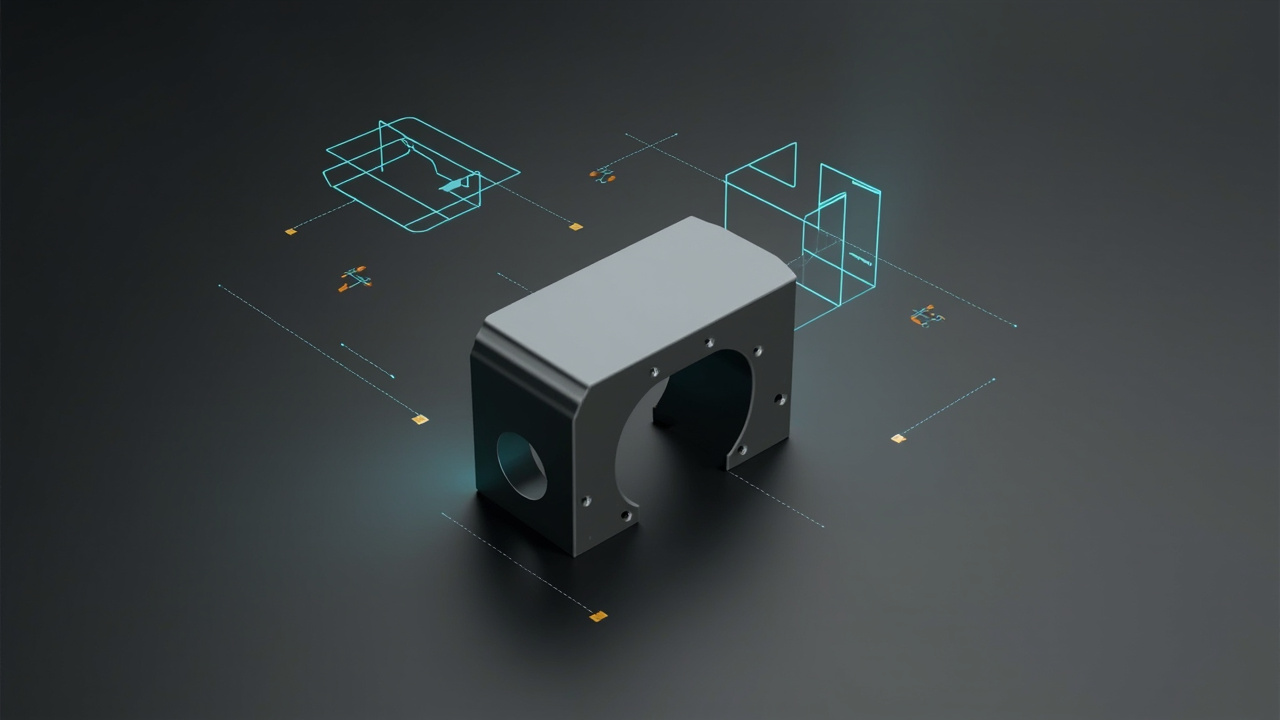
I ran SolidCraft’s reference-test suite on a machine with no GPU, no /dev/dri, and a lib64 directory that does not exist. All 83 cases passed in 4 minutes 23 seconds of wall time and 9 minutes 49 seconds of CPU. The suite is the part of this project I trust, because it is the part that can be checked: every case has a recipe.json and an expected.json, and the expected values are either closed-form geometry worked out by hand or the output of an independent FreeCAD run. Nothing in it comes from a commercial CAD product. That is a stronger claim than most AI infrastructure releases make about their own benchmarks, and I could confirm it in one command.
What caught me was something else. SolidCraft ships an MCP server so that coding agents can drive the CAD kernel directly, and the server’s tool surface is unusually careful — a failed batch rolls itself back to a checkpoint, a measure tool hands back real numbers so an agent can check its own work, and the bundled agent skill lists the traps that cost failed calls. Having actually driven it, I found the shape of the risk: there is a class of call that returns ok: true and leaves the geometry untouched. The contract is honest about most things. That one is not, and it is the kind of gap that matters specifically when the caller is a language model that will read ok: true and move on.
The bet, in one sentence
SolidCraft’s bet is that an AI agent should not get a special-purpose “CAD tool” bolted onto a CAD app — it should get the same command engine a human gets, so that every action an agent takes lands in the same undo history, the same timeline, and the same parametric rebuild as every action a person takes.
That is a smaller claim than it sounds and a much more consequential one. It means there is no second code path to keep in sync, no “agent mode” that computes things differently, and no result an agent produces that the app itself cannot reproduce. The docs make the point plainly: every tool runs engine commands, the same ones the toolbar, palette, scripts and control channel use, and never opens a dialog.
The repo is tangency-labs/solidcraft, created 2026-10-07, and by the time I looked it had 10,104 stars and 1,241 forks — 18 days old, roughly 560 stars a day. The commit history is not a startup’s steady drip. There were 52 releases in the first 30 days and 20 in the last 7, with v0.22.0 published at 23:53 UTC on the 24th, roughly an hour and a half before I started installing it. The top contributor has 836 commits and the project has around 170 contributors in total. It is also an unusually high-variance release cadence for something in the geometry business, which tells you the maintainers consider the command surface a moving target on purpose.
The binary I pulled was the Linux aarch64 tarball, 83 MB compressed, unpacking to a 129 MB solidcraft GUI binary and an 87 MB solidcraft-cli. The x86_64 build failed on this box for a boring reason worth recording, since it will bite anyone else trying this on ARM Linux: the binary expects /lib64/ld-linux-x86-64.so.2, and that path does not exist here. There is no /lib64 at all. The aarch64 build has no such complaint.
The contract: a batch is a transaction
The interesting engineering in the MCP server is not the geometry. It is the shape of the failure handling, and it is the part I would copy into any other stateful tool server.
solidcraft-cli mcp speaks JSON-RPC 2.0 over stdio, one message per line, and the server advertises 19 tools. I pulled the list live rather than trusting the docs, and the two disagree in a small way: the table in docs/mcp.md lists 17 tools, and undo and redo are missing from it. Both exist on the wire.
The batch tool is where the design shows. It takes a list of steps, runs them in order, stops at the first failure, and then undoes everything it did. Here is a real failed batch I ran, where the first step was a valid fillet and the second was a command I made up:
{
  "ok": false,
  "completed": 1,
  "undone": 1,
  "rolled_back": true,
  "applied": [],
  "not_run": [],
  "failed": {
    "command": "solid.bogus_command",
    "error": "unknown command `solid.bogus_command`; closest: `solid.combine`, `solid.offset_face`, `solid.scale`",
    "index": 1
  }
}
Three things in there are worth stealing. The reply names the failing step by index and by command, so the agent does not have to diff its own input. It tells you whether the rollback actually worked, with rolled_back: true and a count of what was undone, so “the batch failed” and “the batch failed and left the design dirty” are distinguishable states. And the unknown-command error offers the three closest real command ids, which is a courtesy that costs almost nothing and saves an LLM a wasted round trip.
Underneath, the rollback goes to an engine checkpoint taken before the first step, not to a guessed number of undo presses. The design, the active sketch and the undo history all come back exactly as they were, however long the history is. An older app without checkpoints falls back to undoing steps one at a time. The docs are candid that a batch which calls file.new or doc.open gets the design back but not its file path.
Then there is the piece I did not expect and now think is the most important design decision in the server. There is a measure tool that returns volume in mm³, surface area in mm², centre of mass, bounding box, and face, edge and vertex counts. An agent building a part is expected to call it, compare the numbers against what it expected, and notice when they disagree. The bundled solidcraft-modeling skill says this outright: plan the part as numbers, build it in a few batch calls, verify every stage with measure against values it computed itself.
That turns the server from “a thing that executes commands” into something with a verification loop built in. For an AI engineer this is the part I would point at. Most MCP servers give the model a way to act and no cheap way to check whether the action did what it meant. Here the check is one round trip, and it returns the same numbers a human would read off the Properties panel.
The trap: ok: true, and nothing happened
Here is the failure I reproduced.
I built a 100 × 50 × 20 mm box with a 10 mm hole drilled through it. The first hole worked: volume dropped from 100,000 mm³ to 98,429.46 mm³, and the face count went from 6 to 7 with one cylindrical face appearing. Then I ran the same hole again, on the same sketch, and got this back:
{ "ok": true, "completed": 1, "failed": null, "rolled_back": null }
And then measure reported the design was unchanged: 98,429.46 mm³, 7 faces, one cylinder. The second drill removed nothing, reported success, and left the model exactly as it was.
That is not a bug I invented by misusing the API. The bundled skill warns about it by name, under the heading of traps that otherwise cost failed calls: a hole sketch at z=0 under a part drills into empty space and still reports success. A cut that misses can report success. The skill is telling the agent that these exist, because the engine cannot tell the difference between a cut that removed material and a cut that found empty space.
What makes this dangerous rather than merely annoying is the asymmetry of the response. A failed call returns ok: false, a failed object, and a human-readable reason, and an agent has every reason to react. A call that returns ok: true and changes nothing looks exactly like a call that succeeded. Without a measure after every step, the model accumulates a confident, entirely fictional build history. The server hands you the tool that catches it, and then it does not call it for you.
I want to be careful not to oversell this as a scandal. It is a known trap, documented in the skill, and measure is the documented mitigation. But it is the failure mode that a language-model caller is worst equipped to detect, and it is the kind of thing you only find by running the thing.
What the numbers actually show
The oracle suite is the headline and I am reporting it straight: 83 of 83 cases passed, exit code 0, in 4 minutes 23 seconds wall and 9 minutes 49 seconds of user CPU time on four cores. The split is 62 analytic and 21 FreeCAD 1.1.4, and docs/oracle.md says the same, which is reassuring in a way most benchmark claims are not.
What the cases compare is worth stating precisely, because “matches FreeCAD” is a much weaker claim than it sounds. Each case replays a recipe.json through the command engine and compares body count, volume and area to within a relative tolerance of 1e-3 unless the case says otherwise, centre of mass to within 1e-3 of the part’s own size, and bounding box likewise. Where the case ships a reference.stl, it also computes the sampled symmetric Hausdorff distance between the two surfaces and compares the principal second moments of both triangulations. Every rebuilt part is exported to STEP, validated, and read back.
The analytic cases are not toy geometry. Case 29 is a 270° revolve with a rectangular offset and a filleted corner, checked against Pappus’s theorem with exact polynomial integrals for the centroid. Case 49 is a true helical sweep, checked against the volume of a screw motion of an axial section. Case 07 is a box with every edge filleted, checked against the Steiner formula plus the ball contribution.
One documentation discrepancy, since it is the kind of thing that would mislead me if I had not run the suite: the README says “75 of 76 public reference parts match their analytic or FreeCAD-computed volume, area, centre of mass and bounding box”, and calls the other one a tracked bug. docs/oracle.md says 83 of 83, zero known failures, zero cases without expected values. The suite has 83 case directories. The README is stale, and it is stale in the pessimistic direction, which is an unusual kind of stale. I would rather find a project underselling its own test coverage than the reverse, but the two documents should not disagree with each other.
The command registry is the other number worth carrying. solidcraft-cli commands emits 5,052 lines of JSON describing 459 commands, of which 355 are enabled and 104 are disabled. The disabled ones carry a disabled_reason — “no sketch is being edited (Create Sketch or Edit Sketch first)” for sketch.finish, for instance — which is a nicer design than refusing at call time. The distribution is telling: 107 sketch commands, 42 render, 35 solid, 23 component, 21 timeline, 19 surface, 19 construct, 18 joint, 18 view, 16 inspect, 13 parameters.
Then the timings, from running the repo’s own examples/bracket.json through solidcraft-cli run. Twelve commands, 396.952 ms total. The sketch commands were free — 0.005 ms for a parameter change, 0.097 ms to create a sketch, 0.002 ms to finish one. solid.extrude cost 15.605 ms. solid.fillet cost 30.029 ms. The final cut extrude cost 337.057 ms, more than the other eleven commands combined, because it has to rebuild the whole solid with the holes in it.
The output was a real AP242 STEP file, 17,475 bytes, and re-reading it gave volume 22,385.35 mm³, area 9,215.32 mm², mass 28.877 g at a density of 1.29 g/cm³, 11 faces (8 planes and 3 cylinders), 27 edges, 18 vertices. The centre of mass came back at [13.2588, -30.0, -8.7836]. I rendered the same file with solidcraft-cli snapshot and looked at it: a clean L-bracket, one filleted edge, two through-holes, no UI chrome and no garbled text, 1280 × 800 PNG at 62 KB, rendered by the gpu-software tier.
I also ran the geometry through the MCP server rather than the CLI, and got the same numbers back through measure. The two front doors agree, which is the whole premise of the project in one observation.
How you actually drive it
Two of my own mistakes here are worth recording, because the documentation does not warn about either one and both would cost a real agent a couple of turns.
First, the “typical session” example in docs/mcp.md does not run. It creates a rectangle with "p1":["width","depth"], passing parameter names as point coordinates, and the server rejects it: invalid parameters for sketch.rectangle.two_point: p1 must be a point [x, y]. Expressions are not accepted in a point array. The working pattern is to draw the rectangle with literal numbers and then bind the dimensions to parameters with sketch.dimension, passing the parameter name as the dimension’s value. I did that, and the solver confirmed it: the first dimension left the sketch with dof: 1, the second brought it to dof: 0, and both reported solved: true.
Then I changed the width parameter from 50 mm to 80 mm and measured again. Volume went from 30,000 mm³ to 48,000 mm³, exactly. The timeline rebuilt the solid and the sketch re-solved against the new dimension. That is the whole parametric promise, verified end to end over MCP.
The second mistake is that describe_command takes its argument as id, not command. Passing command returns a JSON-RPC -32602 with “missing required argument id”. The tool table in docs/mcp.md does not spell the argument name out, and an agent reading only the table will get this wrong on the first call.
The primitives path is more forgiving. solid.box takes length, width and height as expressions directly, so binding a parameter is a one-liner there. I built a box with width bound to a 50 mm parameter and extruded 20 mm, then changed the parameter to 80 mm and got 100,000 → 160,000 mm³, then changed a height parameter from 20 mm to 40 mm and got 320,000 mm³. Every number was exact, which for a kernel that rebuilds a B-rep from a changed sketch is the part I expected to be approximate and was not.
The path guard also works, and I tested it because I did not believe it. save to a path outside the agent’s allowed folders is refused by name: “outside the folders this agent may use (…), allow another folder with --allow-path DIR”. An export to /etc/evil.step never created a file. The default allowed set is narrow — the app’s recovery directory, a per-session scratch directory, and the open design’s own folder — and it has to be widened deliberately.
Rendering works headless, which matters because an agent that cannot see its output cannot debug it. The screenshot tool returned a 960 × 600 PNG, 400,472 bytes, drawn by the gpu-software renderer. On this box solidcraft-cli gpu finds exactly two adapters, both CPU: Vulkan on llvmpipe with Mesa 26.0.3 and LLVM 20.1.8, and OpenGL on the same. No hardware path, and it did not pretend otherwise.
Trade-offs and what it doesn’t fix
The 104 disabled commands are the honest limit on the surface. The registry advertises 459 commands, a quarter of which are switched off with a stated reason. An agent reading list_commands sees the whole catalogue including the parts that will refuse. That is better than hiding them, but it means the reachable surface is smaller than the headline number, and a plan built from the catalogue rather than from the enabled set will be wrong.
The 19-tool surface is a narrow window onto a 459-command engine, and the window is not transparent. execute is the escape hatch, and it is where the parameter checking gets interesting: --param-check off|warn|strict sets how strictly a headless session validates typed parameter contracts, and only a handful of commands (solid.box, solid.extrude and engine.describe so far) have a typed contract at all. For everything else, the contract is a prose string in the registry, parsed by the model. That is the standard MCP situation and it is worth naming: the type safety of this whole server rests on how well the agent reads English parameter descriptions.
Timeouts here are longer than a normal MCP client has patience for. The desktop control channel answers a request the UI thread has not handled within 60 seconds with a “still running” reply that has not failed and has not been cancelled; for engine.batch the window is 3,600 seconds. The server polls for up to 240 more seconds, so a single tool call can block for up to 300 seconds before it returns still running:. The docs say outright that a client needs a per-call timeout above that, say 330 seconds. A client that gives up earlier only sees its own timeout while the request keeps going and will still apply — and then the right move is to call pending rather than resend, or you get the change applied twice.
Concurrent agents are a real design constraint and the app is honest about its limits. At most 16 connections are served at once, at most 64 queued requests run per frame so a flood cannot starve the UI thread, and a request line may be at most 16 MiB. The running tool answers for the whole app across every client at once, which is what you want when you have two agents editing one design and need to know that something is still in flight. In headless mode it always returns an empty list, which means the concurrency story only really exists for the desktop app. Each launch makes a fresh 256-bit token and writes it to a per-port file; nothing else on the machine can send a command without it.
Rendering a real model on a real GPU is out of reach for me here. Every number above involving the renderer comes from the software tier. The geometry numbers are kernel numbers and they do not care, but the visual quality claims are untested by me.
Where I would start
If you want to try this, the fastest honest route is the CLI, not the GUI. solidcraft-cli run examples/bracket.json --out bracket.step gives you a real STEP file in under half a second, solidcraft-cli eval gives you the measured numbers, and solidcraft-cli oracle <case-dir> runs the reference cases one at a time so you can see what the tolerance actually means. The whole thing is a tarball and a tar xzf; there is no build step and no toolchain needed unless you want to work on the Rust itself.
For the agent path, solidcraft-cli mcp --headless is the interesting mode, because the headless session has no window and no GPU requirement and the whole design lives in one process you can drive from a script. The skill_reference tool is worth calling early — it returns the bundled agent skills as text (13,675 characters for solidcraft-modeling), including the id conventions, the sketch-plane table, and the trap list, without the agent needing filesystem access at all.
What I would want measured next is not more geometry. It is the failure surface. I hit one call that returned ok: true and changed nothing, and the documentation told me such calls exist without enumerating them. An agent that keeps a build log, calls measure after every batch, and compares against its own arithmetic will catch them. An agent that trusts the boolean will not, and it will report a part it never made. There is a crash_reports tool in the server, and the control protocol keeps per-connection pending state, which tells me the authors have thought hard about what happens when a call goes wrong at the edges. What I do not know is whether the engine can be asked, before the call, whether the operation would actually remove material — and until it can, the gap between “the model says it did it” and “the geometry did it” stays exactly one measure call wide.
References and where to dig further
- tangency-labs/solidcraft — the repo; 10,104 stars at time of writing, MIT OR Apache-2.0
- docs/oracle.md — the 83 reference cases, with the closed-form derivation for each analytic one
- docs/mcp.md — the MCP server contract: tools, rollback, long-running requests, the path rules
- docs/control-protocol.md — the local control channel: token, connection and queue limits, timeouts
- skills/solidcraft-modeling — the agent-facing skill, including the trap list
- FreeCAD — the independent OpenCASCADE kernel behind 21 of the 83 reference cases
- Owen 1991, Fudos & Hoffmann 1997 — constructive sketch solving, which the roadmap names as the approach behind dimension edits that keep their solution
- Model Context Protocol — the protocol revisions the server implements: 2025-06-18, 2025-03-26 and 2024-11-05
Comments
Powered by GitHub Discussions via Giscus. Sign in with GitHub to leave a comment.