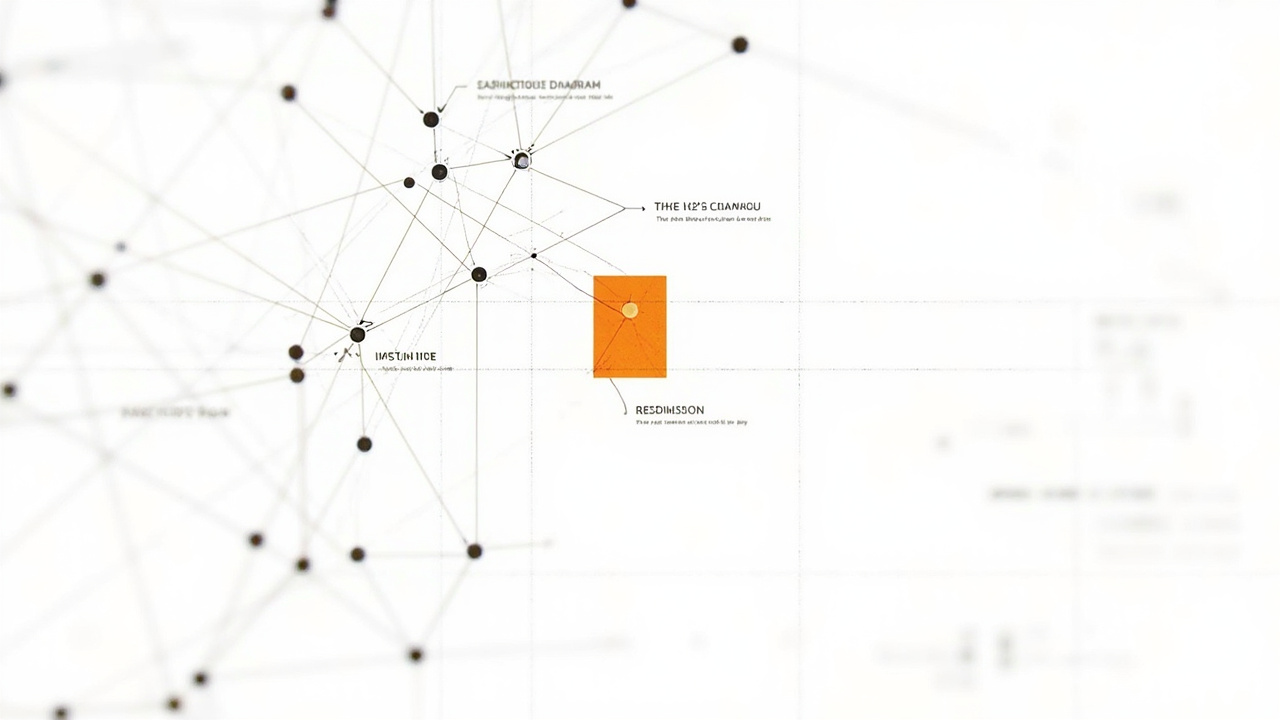
The headline number is one I’d normally be suspicious of: 48,983 stars, 44 diagram types, MIT licensed, single-author, and a tagline that opens with “No shadows. No Mermaid slop.” Then I read the README and the CONTRIBUTING.md and the references/style-guide.md and the answer to “is this actually opinionated, or is ‘opinionated’ a marketing word” turned out to be: it ships five CI linters that reject diagrams that don’t conform to a 4px coordinate grid, fail WCAG AA contrast, ship remote scripts, or whose geometry overflows the viewBox. The README is 51,640 bytes and the changelog is 11,246 bytes, which is the rough ratio of a project whose author treats docs as part of the deliverable.
The repo is cathrynlavery/diagram-design. The author is Cathryn Lavery, who is also the founder of LittleMight (the company that publishes the plugin marketplace listings) and previously built BestSelf.co (the SELF Journal, sold to private equity in 2022, bought back 14 months later). The “design taste” framing is not a metaphor. It is a constraint set enforced in CI. The skill is an Agent Skill — readable by Claude Code, Codex, GitHub Copilot, Cursor, Factory Droid, Pi, Cline, Windsurf, Amp, OpenCode, Kiro, Zed, Warp, Roo, and Kilo via the skills CLI and per-host plugin manifests — and it produces one self-contained HTML file with inline SVG, exportable to PNG or standalone SVG.
The bet, in one sentence
Diagrams that “look AI-generated” all look the same because the renderer is the design system — Mermaid’s theme, draw.io’s hand-drag, Excalidraw’s geometry. The fix isn’t a better template; the fix is to write the taste down as a constraint set the agent can’t violate and then enforce it in CI.
The bet shows up in three concrete design decisions that the README spells out:
-
One accent color, 1 or 2 focal elements per diagram. The default skin is jet-black + tangerine. The accent is reserved for “the 1 or 2 things the reader should look at first.” Every other node is a hairline outline or muted fill. The author’s design principle, quoted verbatim: “The highest-quality move is usually deletion. Every node earns its place. The accent color is reserved for the 1 or 2 things the reader should look at first. Target density: 4/10.”
-
Every coordinate, width, and gap is divisible by 4. Not “aligned to a grid” — divisible. The verifier
scripts/verify-geometry.py(CONTRIBUTING.md lists it as one of the validation gates) checks this. The reason given in the README is “what keeps the diagrams from feeling AI-generated.” Off-grid coordinates are the visible signature of a model that didn’t think about spacing. -
Self-contained HTML, no build step, one network request at most. No JavaScript. No external image dependencies. The default loads Instrument Serif, Geist, and Geist Mono from Google Fonts — the only network call. Switch the font source to
systemin the style guide and the file makes zero network requests.
These are constraints, not preferences. A diagram that doesn’t pass python3 skills/diagram-design/scripts/self_check.py <file> is a bug worth filing, per the “It’s working if…” checklist in the README. That checklist is the contract the skill is being graded against.
What’s actually hard on the AI diagram frontier
If you’ve asked an LLM to draw a system architecture diagram in the last 18 months, you’ve gotten some version of the same thing: rounded rectangles, a pastel palette, a layout that puts everything in a tree even when the system is a graph, a font that falls back to system-ui in 60% of viewing contexts because the model never thought about which fonts to load. The “Mermaid slop” phrasing in the README is a name for that specific failure mode. Three things are hard about fixing it inside an agent harness:
- The agent has taste-neutral priors. A base model doesn’t prefer 1px hairlines over 2px borders. The constraint has to be in the prompt, the example output, and the verifier — all three. A constraint in just one place drifts.
- The user can’t tell the agent what “match my site” means. Brand onboarding has to be a flow: fetch the homepage, extract the dominant palette and font stack, map detected values to semantic roles (
paper,ink,muted,accent,link), show a proposed diff, write tokens toreferences/style-guide.md. Diagram Design ships exactly this flow with a fidelity receipt listing sampled URLs, exact color roles, and font source URLs. - The output is a single HTML file that has to render offline. SVG export has to inject Google Fonts so the file renders standalone. PNG export has to rasterize via Playwright at 2× by default. The output-spec reference (
references/output-spec.md) is the contract forFormat × Size × Detail— eight sizes (doc-inline,doc-wide,slide-16x9,slide-4x3,social-og,social-square,print-a4-landscape,print-a3-landscape,print-letter-landscape,fit), three detail levels (faithful≤24 nodes,balanced≤12,simplified≤7), three audiences (engineer,mixed,executive). The audience dial changes wording not count:Auth Service / JWT · RS256 · :8443→Auth Service / token check→Sign-in.
The reason this is hard is that each of these is a separate domain — color theory, typography, layout, contrast, raster export, semantic role mapping — and the design system has to hold them all in one style-guide.md that the agent reads. A separate references/onboarding.md describes the URL-to-tokens flow; a separate references/profiles.md describes the named-client-profile storage contract (lives in ~/.diagram-design/profiles/<slug>.md); a separate references/style-guide.md is the single source of truth for colors and fonts. Progressive disclosure is the architecture: at startup the agent sees the skill name and description; when a request matches, it loads SKILL.md; semantic, type, and animation references are pulled in only when relevant.
The mechanism, in one pull-quote
”Routine diagrams load one type reference; behavior-rich diagrams add the routed semantic reference; animation adds its contract only when selected.”
The architecture section of the README has a 17-row table mapping user asks to the set of reference files the agent loads. A flowchart request loads SKILL.md + references/type-flowchart.md. An animated policy trace loads the prior selection plus references/animation.md. An import-drawio request loads SKILL.md + references/import-drawio.md + references/output-spec.md + the chosen type’s reference. Routine static diagram-making loads SKILL.md + that one type’s reference, plus references/primitives-core.md or references/layout-budget.md only when it needs exact markup or a per-type budget row.
You ask for…                                    Agent loads
─────────────────────────────────────────────  ──────────────────────────────
"Make me a flowchart"                           SKILL.md + type-flowchart.md
"Build an architecture diagram"                 SKILL.md + type-architecture.md
"Show what was added, removed, changed…"        SKILL.md + type-architecture-delta.md
"Show what's inside this device, exploded"      SKILL.md + type-exploded.md
"Draw our office floor plan"                    SKILL.md + type-axonometric-plan.md
"Compare why these two policy requests differ"  SKILL.md + semantic-patterns.md
                                                + type-flowchart.md
"Animate that policy trace"                     prior selection + animation.md
"Onboard this skill to my site"                 SKILL.md + onboarding.md
                                                + style-guide.md
"Use my saved Acme client profile"              SKILL.md + profiles.md
                                                + ~/.diagram-design/profiles/acme.md
"Redraw this .drawio file for my deck"          SKILL.md + import-drawio.md
                                                + output-spec.md
                                                + the chosen type's reference
The cost of the mechanism is that adding a new diagram type tomorrow is purely additive — you add references/type-<new>.md, you update the count sync verifier (scripts/verify-docs-sync.py enforces that the README’s 44-types claim matches the actual file count), and nothing else in the skill’s loading graph changes. That’s the kind of extensibility story that survives a real project: 41 named type references, 5 import/transform references, 1 animation contract, 2 export references, 1 style guide, 1 onboarding, 1 profiles, 1 doctor, 1 semantic-patterns, 1 primitives-core, 1 layout-budget, 1 output-spec. Adding the 45th type doesn’t touch any of the others.
What the numbers actually show
- 44 named diagram types, each in three static variants: minimal light, minimal dark, full-editorial. Several have named variants that share their reference — Line covers slopegraph, ridgeline, streamgraph, and bump; Scatter covers bubble and beeswarm; Treemap covers marimekko. The full type list spans architecture, IT current-state, flowchart, sequence, state machine, ER/data model, timeline, swimlane, quadrant, radar/spider, loop/flywheel, nested, tree, org chart, layer stack, Venn, pyramid/funnel, bar chart, treemap, line chart, Gantt, scatter plot, high-level, process, medallion, data flow, DP integration, DP security matrix, Sankey, fishbone, Wardley map, kanban, user journey, deployment, dependency graph, UML class, story map, database schema, polar chart, waterfall, architecture delta, exploded axonometric, axonometric plan, heatmap.
- 5 hosts with first-class plugin manifests: Claude Code (
.claude-plugin/), Codex (.codex-plugin/), Factory Droid (.factory-plugin/), Claude Cowork (organization marketplaces), Pi (single-command install). Plus standalonenpx skills addfor Cursor, Cline, Gemini CLI, Windsurf, Amp, Zed, Warp, Roo, Kilo, OpenCode, Kiro, and GitHub Copilot. Thenpx skills addinstaller resolves the repository, detectsskills/diagram-design/SKILL.md, and installs the whole skill (references, assets, scripts) into every host root you select. When the selection resolves to more than one skills directory, the CLI asks for an installation method and recommends Symlink: one canonical copy, linked into each root, so a later update reaches all of them at once. - 5 CI linters in
scripts/(per CONTRIBUTING.md):lint-skin.py(palette, fonts, a11y, single-file safety),lint-render.py(Chromium rendered-layout checker),verify-docs-sync.py(routing, gallery, README, and count sync),verify-geometry.py(label, connector, and port geometry),render-canonical-screenshots.py(deterministic per-type PNG catalog renderer). Plusbuild-readme-thumbs.pyfor the README’s WebP previews and the per-pull-request self-check viaself_check.py. - 87 monochrome IT/cloud icons in the icon set, stroked from Tabler Icons (MIT) and brand silhouettes from Simple Icons (CC0). Each icon uses
currentColorso it inherits the editorial skin or your onboarded brand. The icon gallery lives atskills/diagram-design/assets/icons.htmland the icon set can be regenerated withpython scripts/build-icons.py. - 9 semantic patterns that route before the visual type: fan-in queues and bottlenecks, repeated stage slots, unstructured-input transformation, paired policy traces, secure paved roads, governance catalogs, compensating security layers, traceable block decomposition, lifecycle phase maps. Each pattern defines triggers, primitives, budget, anti-patterns, static fallback, and nearest visual type. The visual type comes second; the semantic pattern comes first.
- 4 motion modes:
none,reveal,step,loop. Reduced-motion output shows the complete static frame and hides playback controls. Motion HTML uses the exact reviewed controller fromtemplate-motion.html; arbitrary inline scripts, remote assets, CSS imports, and executable HTML attributes are rejected. The default isnone— ordinary output remains static and script-free.
A small but telling detail: every diagram template gives the inline SVG an accessible name and description — role="img", a resolving aria-labelledby, and first-child <title> / <desc> slots. IDs are prefixed per diagram and variant, so multiple SVG exports can be safely inlined on one page without duplicate accessible-name IDs. That’s a load-bearing accessibility choice for any team that inlines diagrams into documentation pages.
How brand onboarding actually works
This is the part of the skill I keep coming back to, because it solves a problem I didn’t have a good answer for. Tell the agent: “Onboard diagram-design to https://yoursite.com”. The agent:
- Fetches the homepage.
- Extracts the dominant palette + font stack.
- Maps detected values to semantic roles —
paper,ink,muted,accent,link, pluspaper-2for cards/containers. - Shows a proposed diff.
- Writes your tokens to
references/style-guide.md.
The mapping table is concrete:
| Detected from your site | Becomes |
|---|---|
<body> background | paper token |
| Primary text color | ink token |
| Secondary / caption text | muted token |
| Cards or containers | paper-2 token |
| Most-used brand color (CTA, link, heading) | accent token |
<h1> font family | title font |
<body> font family | node-name font |
<code> / <pre> font | sublabel font |
Before writing tokens, the skill verifies WCAG AA contrast on ink over paper. If your site has a color that fails contrast at diagram sizes (9 to 12px), it proposes an adjusted value and explains why. The default skin is held to the same contract in CI: text roles clear 4.5:1 and essential marks clear 3:1 on both light and dark paper.
The fidelity receipt the skill emits is the part I’d missed the first time I read this. It names the sampled URLs, the exact color roles, the font families and weights, the font source URLs, and any fallback. Public site fonts are used directly and verified after rendering rather than silently replaced with generic system fonts. So you don’t ship a diagram that thinks it’s using your title font but is actually rendering in Arial because Google Fonts was blocked.
For multi-client work, onboard a brand once, save the result as a named profile, then add a .diagram-design marker containing profile: <slug> to each client project. Marker projects read ~/.diagram-design/profiles/<slug>.md directly, so parallel workspaces can use different brands without overwriting a shared installed style-guide.md. The profile library is shared across Claude Code, Codex, Factory Droid, and Pi.
Import is the half I didn’t expect
The skill redraws draw.io, Mermaid, and Excalidraw files into the editorial design system. The point isn’t conversion — it’s fitting the output to where it’s going. Same source file, three different diagrams via the four dials (Format × Size × Detail × Audience):
Detail: balanced · 12 source nodes → 8 drawn
Collapsed: "Token valid?" decision → edge label on Gateway → Auth
Dropped:   1 sticky note ("legacy path, to be retired"), unconnected in source
Kept in full: the request path (Web/Mobile → Gateway → Orders → Postgres)
What never carries over: source or renderer coordinates, source palette, source fonts, draw.io’s diagonal connector spaghetti, Mermaid’s automatic layout, or Excalidraw’s hand-drawn geometry. What always does: components, relationships, grouping, and direction.
The import commands read source formats that look like garbage in an editor. For draw.io: .drawio, .drawio.xml, .drawio.png with an embedded diagram, and .drawio.svg — including compressed payloads that look like base64. For Mermaid: .mmd, .mermaid, and one or more fenced mermaid blocks in Markdown. For Excalidraw: .excalidraw and .excalidraw.json scene files (not the PNG/SVG exports). The parsers in scripts/drawio_extract.py, scripts/mermaid_extract.py, and scripts/excalidraw_extract.py produce a structured intermediate representation; the redraw step maps the IR to the chosen visual type at the chosen format × size × detail level.
A detail that the README surfaces only in the import-drawio reference: when redrawing, the same 12-node draw.io file comes out as 8 nodes in the balanced detail level. The 4 nodes that got collapsed are the “Token valid?” decision (folded into an edge label on Gateway → Auth) and a sticky note (“legacy path, to be retired”) that was unconnected in the source. That’s a fixed degrade ladder: decorations, then duplicates, then leaf clusters, then infrastructure. The faithful level (≤24 nodes, zoned) keeps more; simplified (≤7) keeps less. You pick before the agent renders; the agent states its cuts in the response.
The ASCII-friendly “ask in natural language” path also works: “redraw this drawio file for my deck”, “make this Mermaid block editorial”, “make this whiteboard sketch presentable”, or “この Mermaid をスライド用にきれいにして”. The Japanese prompt is in the README as a real worked example, not as a “we support internationalization” footnote.
The motion contract, in one paragraph
Motion is optional and does not create another visual type. The animation contract defines none, reveal, step, and loop modes with a complete static first frame, deterministic timing, and controls only when interaction is available. Reduced-motion output shows the complete static frame and hides/disables playback controls. Motion HTML uses the exact reviewed controller from template-motion.html; arbitrary or modified inline scripts, remote assets, CSS imports, and executable HTML attributes are rejected. The default is none — ordinary output remains static and script-free. The self-contained interactive example is example-policy-trace-animated.html in the assets directory.
The four modes and their reduced-motion behavior are a real accessibility contract, not a checkbox. prefers-reduced-motion shows the complete static frame. SVG export of motion-enabled HTML uses the explicit final state: open ?motion=static, wait for document.fonts.ready, confirm the motion root has data-frame="static" before capture. ?motion=step&step=N is only used when a named intermediate frame was requested.
Trade-offs and what it doesn’t fix
A few honest limits worth flagging:
- Output quality depends on the model you run it with. The README says so directly. The same prompt can lay out differently twice. There’s a 4px grid and there’s still variance across runs. If you need byte-stable output, you want Mermaid (text-based, diffable) — not this. The README explicitly says: “Diagram Design is for the diagram you are going to publish” (singular, one-shot, polished) and not for “diagrams that live in Git and change every sprint” (Mermaid is the right fit there).
- The result is not an editable source format. There is no text to diff in a pull request and no canvas to drag a box on. You can edit the SVG, but you’re editing SVG. The contribution model for changes is “ask the agent again” — not a Mermaid block in a Markdown file that any engineer can hand-edit.
- The brand-onboarding flow depends on being able to fetch the homepage. A site behind auth, a local development site, a brand whose homepage is a Single-Page App whose hero text is in a Web Component that the fetcher doesn’t traverse — onboarding silently produces a bad palette. The skill checks contrast after onboarding, but it can’t check that the font it picked is the font you actually use on the product page. The fidelity receipt helps, but it’s a developer who has to read it.
- The host matrix is wide but not uniform. Each host reads the same
SKILL.mdand the same references, but the slash-command surfaces (/export-diagram,/import-mermaid,/import-excalidraw,/profile,/doctor) are partially implemented per host. Claude Code has the full set; Codex and GitHub Copilot use their plugin commands; Pi has its own prompt templates; OpenCode has no Diagram Design marketplace package and you have to copy or symlink manually. Cross-host consistency of the slash-command layer is not a guarantee the README makes. - The CI gates run on Linux, Windows, and macOS per the CONTRIBUTING.md — but the verifier that does the actual rendered-layout check (
lint-render.py) uses Chromium. If you can’t install Playwright in your environment, that gate is opt-out by hand, not by config. There’s no--no-chromiumflag in the README; the self-check script accepts--offlineto also fail on the Google Fonts link, but the rendered-layout check is its own thing.
What the existing code does that’s worth borrowing
Two patterns that any team building an agent skill should steal:
-
The “It’s working if…” checklist as a contract. Six concrete assertions, each verifiable: routine request loads
SKILL.md+ exactly one type reference; agent states its plan before drawing; output opens offline; screen readers announce the diagram’s title and description;self_check.pyprintsOK; new diagrams use the onboarded brand with a fidelity receipt. The README ends each section with this checklist and says “if any of these fail, that’s a bug worth filing.” That’s how a 51KB README earns its weight. -
The progressive disclosure loading table. The 17-row table mapping user asks to the set of reference files the agent loads. Anyone shipping an Agent Skill should publish this. It’s the difference between “the model knows when to read what” and “the model reads everything and loses the point.” Adding a new diagram type is purely additive precisely because the table makes the loading graph explicit.
A third pattern worth flagging: the import-with-audience-dial for redrawing source diagrams. The audience dial changes wording, not count. Auth Service / JWT · RS256 · :8443 (engineer) → Auth Service / token check (mixed) → Sign-in (executive). The same source, three outputs, each appropriate to the venue. That’s a real design decision — most diagram redrawers don’t expose the audience dial; they just redraw.
Final paragraph
The thing I’ll be thinking about after this is the difference between “an opinionated design system” as a marketing word and “an opinionated design system” as a CI-enforced contract. The README’s first 200 bytes say “44 diagram types. No shadows. No Mermaid slop.” The CI does the rest. The 4px grid, the WCAG AA contrast check, the single-file safety lint, the deterministic-screenshot renderer, the docs-sync verifier, the type-count sync, the geometry verifier — these are not “we have a style.” These are the gates. Whether the taste is to your taste is a separate question, and the answer depends on whether you want your diagrams to look like Cathryn Lavery’s diagrams or like someone else’s. The contract is the part that doesn’t change.
Comments
Powered by GitHub Discussions via Giscus. Sign in with GitHub to leave a comment.