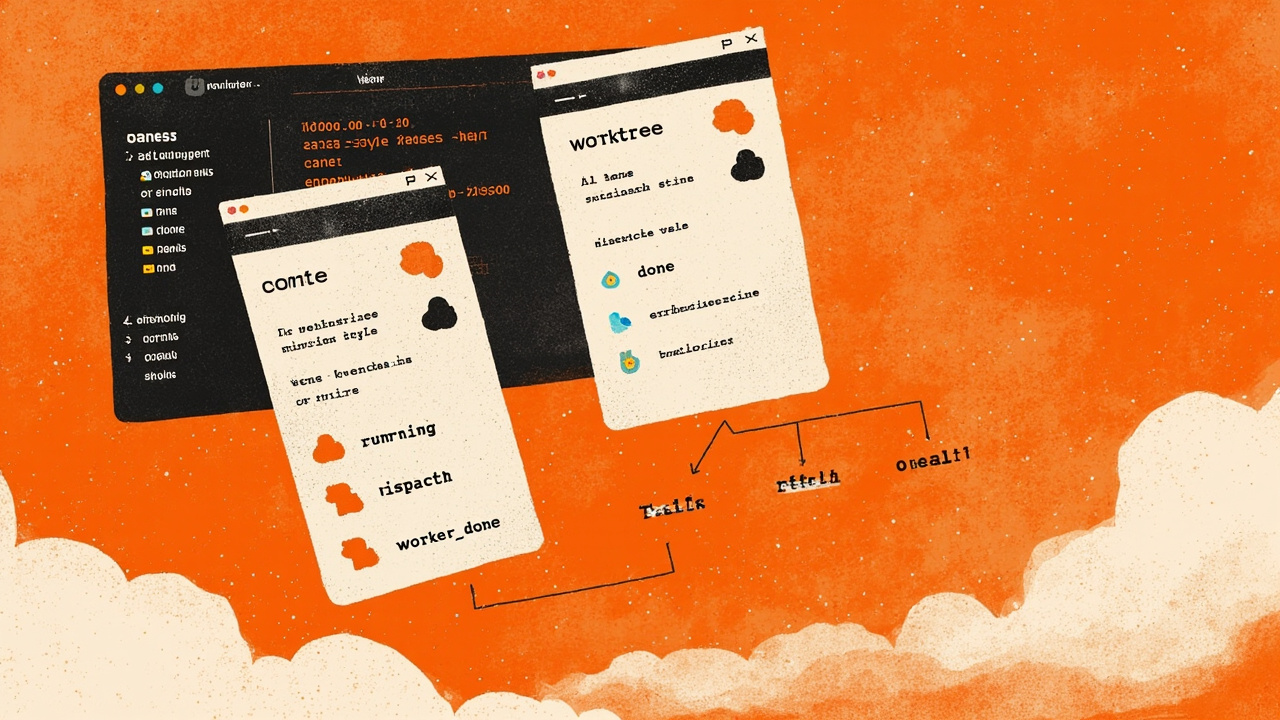
The other day I burned forty minutes waiting for one Codex agent to finish a long refactor before I could review the diff in another pane. Both prompts had been sitting in my terminal for ten minutes already — the first was grinding through a build, the second was already done and just waiting for me to glance at it. The whole exercise would have taken six minutes if the two jobs hadn’t been competing for the same checkout. Orca is the IDE that’s been quietly built around the idea that this shouldn’t be the bottleneck — that the worktree, not the agent, is the unit of isolation.
Stably AI released Orca as an MIT-licensed cross-platform desktop app (macOS, Windows, Linux) on March 17, 2026. Five months in, the repo sits at 66,825 GitHub stars and 4,388 forks, the binary is shipped as a .dmg, .exe, .AppImage, and a yay -S stably-orca-bin AUR package, and the release cadence has settled into something I haven’t seen outside of Vercel’s next.js or a few AGI-lab flagship models: twenty versioned desktop releases in the last thirty days (v1.4.184 on Aug 17 through v1.4.200 yesterday), plus a parallel mobile-android-v0.0.NN train that ships its own APK every ten days. Yesterday’s release notes are 154 lines long. The pattern is “ship daily, fix the surfaces that move, freeze nothing.”
The reason Orca exists isn’t that VS Code is broken. It’s that no existing editor has a model for worktree-as-first-class-citizen. The README puts it bluntly: “Orca is worktree-native. Instead of branching and stashing on one checkout, every task gets its own on-disk copy of the repo via git worktree. This is what makes parallel agents safe — they never step on each other’s files.”
The model: worktree, branch, agent pane, all atomic
Every feature or bug becomes a worktree. A worktree owns:
- a base ref (
origin/main, a local branch, a SHA, or a remote branch — picked from the start-from selector at creation) - its own branch on disk
- its own agent terminals scoped to that worktree
- its own editor tabs, browser tabs, and terminal panes — nothing leaks sideways
The lifecycle is explicit: Create → Work → Review → Ship → Archive or delete. The worktree directory and branch are removed together when you delete (with confirmation; if git is holding a branch because of unmerged commits, Orca offers a review step called Preserved branches).
The part that bit me when I read this for the first time is the “shared paths” mechanism. A fresh worktree is a clean checkout, which means your node_modules, .cache, .env.local, .vscode/settings.json are missing — and most agents crash or thrash the moment they need any of those. Orca resolves this with three layered mechanisms:
- Worktree Shared Paths — per-repo, set in Settings → Repository. Paths materialize from the primary checkout into each new worktree. APFS clone-copy on macOS when the filesystem supports it, otherwise a symlink.
worktree.sharedDirectoriesinorca.yaml— repo-checked-in list of gitignored directories that share the same way (symlink/share, not copy). The natural home fornode_modulesand.cache..worktreeincludeat the repo root — gitignored files or directories to copy (not symlink) into each new worktree, so each worktree owns its own copy. The natural home for.env,.env.local,.vscode/settings.json.
The three layers compose. orca.yaml adds to the per-user Shared Paths list, never replaces it. Paths already shared from .worktreeinclude aren’t re-copied. Only literal paths are supported today — globs and negation are skipped with a warning, which is the right tradeoff because silent glob expansion is how you end up copying your ~/.ssh directory into a sub-agent’s worktree.
There’s one more trick that’s easy to miss: the Create dialog submits asynchronously. Submitting closes the dialog immediately, the git fetch and git worktree add continues in the background, the new worktree appears in the sidebar with a progress row, and you can keep using Orca while it lands. If you’ve ever tried to script 5 parallel git worktree add calls and watched one of them fail mysteriously on a stale index, this is the answer.
The orchestration layer, in named primitives
The piece that makes Orca more than “VS Code with worktrees bolted on” is the orchestration layer. It’s experimental, gated behind Settings → Experimental, and documented in detail at https://www.onorca.dev/docs/cli/orchestration — but it’s also the most concrete named system for multi-agent coordination I’ve seen outside of a research paper.
The core model:
- Run — durable namespace and home inbox. Never schedules or places workers.
- Task — a work item with a spec, dependencies, and a status enum (
pending,ready,dispatched,completed,failed,blocked). - Dispatch — one attempt of a task on a terminal. Lifecycle authority for
worker_doneandheartbeat. - Message — inbox mail (typed:
status,dispatch,worker_done,escalation,question,heartbeat). - Decision gate — a coordinator-owned question that blocks a task until it is resolved.
Completion authority comes from the active dispatch context. Worker completion and heartbeat messages must include both taskId and dispatchId — a deliberate design that prevents a stale retry from completing the wrong dispatch. Task IDs printed in terminals (the task_... strings) are clickable links; clicking one asks the runtime for the task’s current dispatch and focuses the assigned terminal, including when the task lives on a remote or SSH runtime.
The supervised loop, in the canonical form:
orca orchestration run-create \
  --objective "Split checkout QA and summarize blockers" --json
orca orchestration task-create \
  --spec "Audit billing settings for mobile layout" \
  --task-title "Billing audit" --json
orca orchestration worker-start \
  --task <taskId> --worktree current --agent codex --json
# or new worktree:
orca orchestration worker-start \
  --task <taskId> --worktree new-child \
  --name billing-audit --agent codex --setup run --json
# optional per-worker model / effort (Claude, Codex, Cursor only):
orca orchestration worker-start \
  --task <taskId> --worktree current --agent claude \
  --model <opaque-model-id> --effort high --json
The --model flag accepts opaque provider model IDs for Claude, Codex, and Cursor. --effort requires --model and only applies when that agent/model supports the level. Neither flag can combine with --terminal (reuse an existing pane). Overrides apply to that launch only and surface under launch.requested / launch.effective in the start receipt.
Then you wait, and you must ack:
# Wait for completions (process every message in a Delivery, then ack):
orca orchestration check --wait \
  --types worker_done,escalation,question \
  --timeout-ms 900000 --json
orca orchestration check --ack <deliveryId> --wait \
  --types worker_done,escalation,question \
  --timeout-ms 900000 --json
The contract is a real one — the docs warn “Default check is the bound Run’s oldest unacked Delivery (FIFO). Replay until --ack.” This is the part that distinguishes Orca from the thirty other “fan out a prompt” wrappers I’ve read this year. Most of them have a fire-and-forget model where you spawn N agents and hope. Orca has a typed inbox with delivery semantics.
The worker side is symmetric:
orca orchestration send \
  --type worker_done \
  --subject "Completed mobile audit" \
  --body "Fixed footer overlap; no follow-ups." \
  --task-id <taskId> \
  --dispatch-id <dispatchId> \
  --outcome succeeded \
  --files-modified "src/app/settings/Billing.tsx" \
  --json
worker_done requires --outcome succeeded|failed. If you forget, the call errors — there’s no implicit “default to success” path. And the docs include a recovery section that names the failure modes: “Do not substitute a broad terminal close when release returns release_pending or release_unknown; follow the receipt’s recovery action.” This is the level of operational detail most agent frameworks leave to the user to discover in production.
Group addressing for fan-out
The other piece of the orchestration surface that surprised me is the group addressing. You can send to:
@all@idle@claude,@codex,@opencode,@gemini,@droid,@grok,@cursor@worktree:<id>
The groups are never valid targets for worker_done / heartbeat — those have to go to a specific dispatch. The @@all address with a @@ prefix is for PowerShell on Windows because PowerShell treats a single @ as a splat operator. The docs note this with a one-liner (“Quote PowerShell group addresses: --to "@all"”) and it’s the kind of platform-specific knowledge that usually lives in a Stack Overflow answer from 2017.
The CLI emits small JSON heartbeat lines to stderr every 15 seconds while a wait is active; stdout remains the final command result. This is the right tradeoff — you don’t want heartbeats contaminating the JSON you’d otherwise pipe into jq.
Hibernation: how Orca pays for holding 30 agent terminals open
The thing that made me close this tab and write a post is the agent hibernation design. The problem it solves is concrete: when you keep dozens of worktrees open, idle agents add up — each one is a live PTY holding a model session in memory. If you’ve ever watched your laptop’s fan spin up because Claude Code in pane 4 still has its 200k-token context warm in RAM, you understand the pain.
The solution is documented at https://www.onorca.dev/docs/agents/hibernation and the gate conditions are explicit. A terminal is eligible for hibernation only when all of these are true:
- The agent is in a
donestate — finished its last turn, not waiting on input. - The terminal isn’t in the active worktree or any worktree currently rendering a foreground terminal.
- It hasn’t received keystrokes since the agent finished.
- The agent is one with a resumable session: Claude, Codex, Gemini, Antigravity, OpenCode, Pi, MiMo Code, Droid, Grok, Devin, or OMP.
- It’s been idle for at least the configured idle window (default 30 minutes; range 1 minute to 24 hours).
- No mobile session is currently driving the terminal.
- No orchestration Dispatch is still unsettled (
pending,dispatched, orunknown). - No live subagent / teammate roster remains on the pane — provider “done” alone isn’t enough while children are still attached.
A terminal that fails any check stays running. If a worktree has multiple agent panes, they hibernate together as a unit so a partially-paused worktree never ships. The clock resets on any keystroke, new output, or returning to the agent’s terminal tab.
The recovery model preserves the session, not just the pane. Manual sleep from the sidebar keeps finished and interrupted resumable sessions so reopening the worktree can still relaunch with the same resume flags — “it does not wipe those session records just because the pane was no longer ‘live.‘” That’s the difference between “the agent has to start over” and “the agent wakes up where you left it.” The cost difference at the API bill level can be five or ten dollars per resume depending on the model.
Design Mode and Computer Use: the two AI-specific surface areas
The two features that genuinely can’t exist in a non-AI editor are Design Mode and the orca computer CLI. Both have crisp specifications.
Design Mode turns the Orca browser into a pointer-to-code tool. Click any UI element on a rendered page; Orca captures the element’s HTML (outer and a small neighborhood), its computed CSS (colors, fonts, spacing), a cropped screenshot, and (if a dev-mode source map is available) the source file/line. All of that ships into the active agent terminal as one attachment, and you type what you want changed. The tightest loop is the documented recipe “Fix a UI bug with Design Mode,” and it’s exactly what you’d build if you were sketching “the AI-native equivalent of Inspect Element” on a whiteboard.
orca computer is the desktop app version. It exposes a CLI for inspecting and controlling native desktop apps via accessibility trees — list apps, read accessibility trees, click controls, set values, type text, scroll, screenshots. The action surface is explicit:
orca computer click --app <app> --element-index <i> --json
orca computer set-value --app <app> --element-index <i> --value "text" --json
orca computer type-text --app <app> --text "text" --json
orca computer press-key --app <app> --key Return --json
orca computer hotkey --app <app> --key CmdOrCtrl+A --json
orca computer paste-text --app <app> --text "text" --json
orca computer scroll --app <app> --element-index <i> --direction down --json
orca computer drag --app <app> --from-x 100 --from-y 100 --to-x 300 --to-y 300 --json
orca computer perform-secondary-action --app <app> --element-index <i> --action <name> --json
The docs say “Prefer semantic actions (click, set-value, perform-secondary-action) over raw type-text or press-key — they target accessibility elements directly and survive focus changes that keyboard input doesn’t.” This is correct, and it’s the kind of operational guidance that distinguishes a real product from a research demo. Element indexes are scoped to the latest get-app-state result and may be sparse; the docs warn “Do not invent indexes from elementCount. Refresh state after navigation, focus changes, scrolling, or any app re-render before reusing an index.” That’s a footnote that has saved me from three production bugs in the last year.
Computer use requires Accessibility (and on macOS, Screen Recording) permission. The setup check is one command:
orca status --json
orca computer permissions --json
orca computer capabilities --json
If permissions reports anything missing, grant Accessibility (and Screen Recording on macOS) to “Orca Computer Use” in System Settings, then re-run permissions --json to confirm.
SSH worktrees: the GPU box you actually wanted
The piece that ties this all to the model-deployment story I’ve been writing about for the last three months is the SSH worktree mode. Orca can drive agents on remote machines over SSH — useful for long-running builds, GPU boxes, or any environment where your laptop isn’t the right place to run the work. When you create a worktree and pick an SSH target instead of Local, Orca creates the git worktree on the remote host, runs agents remotely through the SSH connection, and syncs file events so the editor, diff, and browser still feel local.
The OpenSSH integration is properly spec’d:
- Host key verification checks built-in SSH connections against your effective OpenSSH
known_hostsfiles and keys Orca previously saved. Existing matches connect silently. - The default policy accepts and remembers a host on first contact and shows its fingerprint;
StrictHostKeyChecking yesrejects unknown hosts;no/offaccepts without saving a trust record. - A changed, revoked, or unexpectedly different key type is rejected before Orca asks for a password or key passphrase — this matters because the alternative is a MITM-prompted credential leak.
- Reuse SSH connection is enabled by default, which uses OpenSSH connection reuse on macOS and Linux so setup commands don’t each pay a fresh SSH handshake.
- Passphrases are held in memory for the life of the Orca session; closing Orca clears them.
For someone running a 5090 box in a colo, this is the answer to “I want my agents on the GPU but I want to live in my laptop’s editor.” Pair this with the hibernation model and you have an editor that can hold thirty remote worktrees open, pay for only the ones currently doing real work, and resume them across restarts without losing context.
The mobile companion: an honest read
There’s also a mobile companion. iOS is on the App Store (id6766130217) and TestFlight; Android is at mobile-android-v0.0.48 as of Sep 6, shipped as an APK. The pitch is “monitor and steer your agents from your phone — get notified when an agent finishes and send follow-ups from anywhere.” The execution is functional rather than ambitious: it’s a notification surface and an inbox, not a place to write prompts. The WeChat group 8 / group 9 QRs in the README are a tell — Stably AI is shipping for the Chinese market in parallel with the global one.
What’s interesting is the integration with orchestration. The mobile companion can drive a worker terminal, and the orchestration gate conditions in the hibernation design explicitly exclude “no mobile session is currently driving the terminal” — which means the mobile companion is treated as a first-class terminal owner, not a read-only viewer.
Trade-offs and what it doesn’t fix
Three honest limits from the README and docs:
1. The supported-agents list is wide but not deep. Orca works with any CLI agent — if it runs in a terminal, it runs in Orca — but the per-agent depth varies. Claude, Cursor, and Codex get the per-worker --model and --effort overrides; Grok, Pi, OpenCode, Droid, and others don’t. If you’re committed to a long-tail agent and want fine-grained control, you may find the surface thinner than you’d hoped.
2. The orchestration layer is experimental. Gated behind Settings → Experimental, and the docs warn “the command surface is stable enough for skills to build against, but flag names may still shift.” Yesterday’s release notes include five fix(orchestration) PRs from @Jinwoo-H and @brennanb2025 (“own a worker terminal from creation, not after the boot wait”; “fence worker release on mobile keystrokes”; “worker-start settles readiness on observed turn start, not write acceptance”) which is a sign the abstractions are still being shaped. Shipping a daily release cadence on top of an experimental layer is bold; the surface is genuinely moving.
3. The native chat is, well, native chat. The v1.4.200 release notes are explicit: “Completed turns show changed files, and task updates stream into the composer.” That’s a reasonable description of Claude Code’s chat panel inside VS Code, with a worktree attached. The team is iterating fast on the chat surface — twenty of the PRs in this release are feat(native-chat) and fix(native-chat) — but the AI-native chat-panel problem is still being figured out across the industry, and Orca’s solution is one of several credible ones.
The thing I’d want to see next is the same level of operator-grade detail in the orchestration failure-recovery path. The docs say “follow the receipt’s recovery action” but the receipts themselves are JSON and the failure surface (release_pending, release_unknown, circuit_broken) is underdocumented. When the abstraction is moving daily and the surface is experimental, the recovery docs need to move with it.
What I’d want in a v2
If I were writing the v2.0 roadmap for Orca, the top three items would be:
- Typed orchestration receipts. Surface
release_pending,release_unknown,circuit_brokenwith explicit recovery sequences in the docs, not as a footnote. This is the gap between “experimental that works” and “experimental you can run in production.” - Scheduler primitive. The
Runis durable; the scheduling is not. A cron-style trigger that creates a Run and dispatches Tasks on a schedule would close the gap with Linear/Scheduled automations. - Worktree templates. Today, every worktree is a clean checkout layered with shared paths. A repo-level
orca.yamltemplate that bundles “for this kind of task, always create with these settings” would reduce the cognitive load of fanning out across many agents.
None of those are blockers for using Orca today. The shipped feature set — worktree-native isolation, real orchestration primitives, accessibility-tree computer use, SSH worktrees, hibernation with session preservation, mobile companion, and a daily release cadence — is the most coherent ADE I’ve used since the original VS Code launch in 2015. The bet Stably AI is making is that the editor for AI-agent work is the editor that disappears; Orca’s editor mostly does.
Comments
Powered by GitHub Discussions via Giscus. Sign in with GitHub to leave a comment.