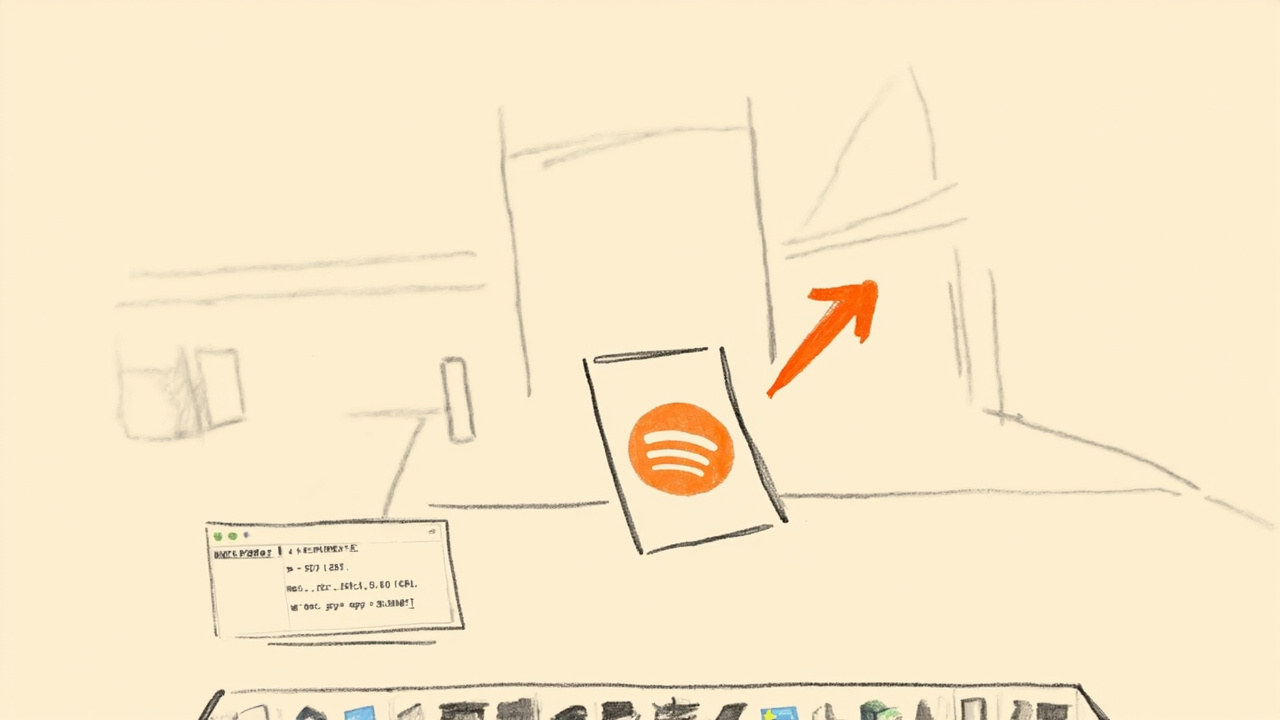
The first thing I saw in the README was a sentence I almost scrolled past: “There are no Spotify tools, Slack tools, or Final Cut tools. The model gets raw primitives and writes the rest.” I’ve been writing computer-use code since Mariner was a thing we all watched crash, and every harness I’ve worked with has shipped in one of two shapes: either a giant catalog of per-app tools (click_spotify_play_button(), set_slack_status_with_reaction_emoji()) that rots the moment a vendor redesigns their menu bar, or a vision-only agent that screenshots and re-screenshots until it guesses the right pixel. The thing browser-use shipped yesterday — browser-use/macos-harness, 314 stars in 24 hours — is neither. It’s six primitives and one Python process. That’s the entire value proposition. I read the whole source so you don’t have to.
What it actually is, in one paragraph
You run macos-harness. It spawns one persistent Python interpreter that hangs around for the life of the agent. Into that namespace it injects six things: mac.see(), mac.key(), mac.type(), mac.click(), mac.ax.at(), and mac.script(). The first four are the CGWindow / CGEvent layer — raw Apple Core Graphics screen capture and event posting to a specific PID, not to whatever the frontmost app happens to be. mac.ax is a thin wrapper over AXUIElementCopyElementAtPosition and the rest of ApplicationServices — the Accessibility tree, with the actual attribute names (AXTitle, AXValue, AXFrame, the whole _AX_ATTRIBUTES tuple in src/macos_harness/macos.py) exposed as a queryable Python object. mac.script() sends raw Apple Events — the tell application "Spotify" to play layer that lets you hit application scripting interfaces without going through the visual layer at all. On top of that it exposes browser (a BrowserHarness from the sibling browser-harness>=0.1.9 PyPI package, which speaks CDP to a real logged-in Chrome), plus the ordinary Path and subprocess for filesystem access. That’s the entire surface.
The agent gets a Python prompt, writes code in normal Python, and the harness executes it. The whole pitch is that you don’t need per-app integration code because the model already knows how to write mac.click(640, 420, app="Spotify") — and if the model needs a one-off helper like “press the Like button on whatever track is currently selected”, it just writes that helper inline in the same script, runs it, and moves on. The README example is explicit:
macos-harness <<'PY'
frame = mac.see("Spotify")
mac.key("cmd+k", app="Spotify")
mac.type("Alessia Cara", app="Spotify")
mac.click(640, 420, app="Spotify")
item = mac.ax.at(640, 420, app="Spotify")
mac.script('tell application "Spotify" to play')
PY
That’s a complete search-and-play workflow. No Spotify-specific tool was registered; the LLM composed it from primitives.
The pieces I went and read in the source
I wanted to know what mac.see() actually does, because “screenshot the window” is the kind of thing that either works great or leaks the wrong thing entirely. From src/macos_harness/macos.py it calls the system screencapture executable with a per-window flag (-l <window-id>), which means it grabs that specific window’s pixels rather than the whole screen. The see CLI subcommand accepts --max-width and --max-height (defaults 1280×1280) and --no-pointer — the latter is for not drawing the synthetic click-through cursor over the capture. The diagram in the README makes a point of this: “Captures background app windows without bringing them forward.” That’s screencapture -l plus the window-id lookup, which is non-trivial to get right on modern macOS because CGWindow IDs aren’t stable across launches.
mac.click() is the one I was most curious about, because raw CGEvent posting has a footgun called the physical cursor moves. The README claims the harness draws an animated, click-through pointer without moving your real cursor. The implementation lives in src/macos_harness/pointer.py (the POINTER_HOTSPOT constant and pointer_points() generator) plus src/macos_harness/overlay.py (LivePointerOverlay). The overlay is a transparent, always-on-top NSWindow that the harness animates across the screen with Quartz; the CGEvent is posted at the overlay’s location. The real mouse cursor never moves. The user keeps using their trackpad. The agent’s click happens at a coordinate the user can’t see unless they look carefully. I think this is the right design — every other computer-use agent that moves the real cursor makes it impossible to keep working while the agent runs, and “I had to stop using my laptop while the agent fixed my Spotify queue” is a real complaint.
The accessibility wrapper in src/macos_harness/controls.py is the most interesting file. The _COMPACT_ATTRIBUTES tuple defaults to ("AXRole", "AXTitle", "AXDescription", "AXValue", "AXFrame") — the minimum useful description of “what’s at this pixel.” If the agent wants more it can pass attributes= explicitly, or it can use ax.query(...) with text=, search_key=, visible_only=True, and max_nodes=500 to walk a bounded subtree. The at() method returns a JSON-shaped dict with an index field that lets subsequent calls refer back to the element without re-resolving it — that’s the trick that keeps AXUIElement references alive across multiple Python statements in the same process. The dict also has include_actions=True by default, so the model gets AXPress, AXShowMenu, AXConfirm, etc. as a list, which is how it knows what verbs apply without having to ask. The _ACTION_ALIASES mapping in macos.py ("press": "AXPress", "raise": "AXRaise", etc.) is a small concession to ergonomics.
mac.script() is the boring one and that’s the point — it’s a NSAppleScript execute, which is the same path that AppleScript Editor uses. It only works for apps that expose an AppleScript dictionary, but for those apps (Spotify, Finder, Mail, Calendar, Safari, the entire Adobe suite, Microsoft Word/Excel/Outlook, BBEdit, Terminal) it sidesteps the visual layer entirely. The example in the README uses it to issue tell application "Spotify" to play because that’s a direct scriptable call — no screen capture, no click, no Accessibility permission required for the script itself. The smart agent picks the right primitive for the job: vision for native UI, accessibility for unlabeled elements, Apple Events when the dictionary has the verb.
The permission model — this is where it gets honest
macos-harness doctor reports what the harness actually needs and asks for the missing pieces. From install.md, that’s three permissions: Accessibility, Screen Recording, and Automation. Input Monitoring is explicitly not required — because the harness synthesizes events at the CGEventPost layer (which is what Input Monitoring is designed to gate) only when it has to, and uses Accessibility (AXUIElementPerformAction) or Apple Events as the primary path. The distinction matters: Input Monitoring is the permission that lets a process observe raw key events system-wide, and granting it is the kind of thing security people yell about because it implies a keylogger surface. The harness sidesteps it by going through the higher-level frameworks that don’t need it.
The other thing the harness doesn’t do: it never activates or raises the target app and never moves the physical pointer. Both are deliberate. Raising a background app to the foreground breaks user focus; moving the physical cursor breaks user workflow. The harness is designed for background agency — the user keeps doing whatever they’re doing, the agent works in another window, and at the end the user gets a result. This is a different design philosophy than the Mariner model where the agent was the user. The browser-use folks are betting that the right shape is “agent has its own hands, user has theirs.” It sounds obvious in writing; it’s not how most of the field is shaped.
The telemetry is also worth pulling out. macos-harness telemetry is a subcommand; default is enabled. The recorded fields are: CLI command category, success, duration, package version, OS/architecture, and detected agent client. That’s it. No prompts, no app names, no screenshots, no UI text, no scripts, no paths, no window titles. macos-harness telemetry disable is a single subcommand. The fact that they bothered to enumerate what’s not recorded is the strongest signal I’ve seen this week that the project authors have actually read a security review.
What I’d want to know before wiring it into a real agent stack
A few things I’d flag for anyone considering this in production, after reading the source:
It’s macOS-only and pyobjc-based, so you’re locked to PyObjC’s ApplicationServices coverage. Anything ApplicationServices doesn’t expose, the harness can’t either. That’s basically the full public macOS automation surface, but it does mean features that exist in private frameworks (e.g. some I/O Kit things for I/O device control) are out of scope. The pyproject.toml declares pyobjc-framework-ApplicationServices>=12.0; sys_platform == 'darwin' as a conditional dep — the harness won’t even import on Linux, which is correct.
The persistent-process model has a failure mode that batch-job agents don’t. Because everything runs in one Python interpreter that hangs around for the life of the agent, a mac.click() that hangs (e.g. the target window is mid-animation and CGEventPost blocks on a system semaphore) blocks the whole agent, not just that one action. The harness doesn’t seem to expose per-action timeouts in the public API I read; if I were integrating it I’d want a signal.alarm() wrapper around CGEventPost calls or a watchdog thread that escalates. This is the kind of thing that’s fine in a demo and infuriating in a 30-minute autonomous workflow.
The BrowserHarness is the thing that needs the most babysitting. The README leans on browser-harness>=0.1.9 for “the real, logged-in browser” — which is the hard part of browser automation, because every site has different anti-bot heuristics and the only way past most of them is “use a browser the user has been logged into for months.” That’s a good choice. But “logged-in Chrome via CDP” means the agent inherits the user’s existing cookies, sessions, and any state the user has in other tabs. I’d want to read browser-harness more carefully before running it against a Chrome profile that has production credentials in it. The macos-harness README explicitly says it never sees prompts, app names, or window titles in telemetry — but the browser is a different code path and a different trust boundary.
The skill export is the integration angle I’d actually use. The macos-harness skill subcommand prints a SKILL.md (looked at the bundled resource path in cli.py — _skill_text() reads from macos_harness/SKILL.md via importlib.resources); the install instructions redirect it into ${CODEX_HOME:-$HOME/.codex}/skills/macos-harness/SKILL.md. That’s the same skill shape as the Agent Skills / OpenClaw / Hermes skill ecosystem — a markdown file the agent reads on cold start, containing the install instructions and the primitive reference. The whole “give it to your agent” section in the README is literally a paragraph designed to be pasted into another agent’s input: “Install or upgrade macOS Harness from https://github.com/browser-use/macos-harness with uv using Python 3.12. Register the skill printed by macos-harness skill, then run macos-harness doctor…” This is the part that matters for the multi-agent world we are all building: the harness is agent-installable. An agent can read its README, decide it wants the harness, run the install commands, verify with doctor, and start using it — without a human in the loop. That’s a different shape of integration than “user installs, user configures, user tells agent it exists.”
The browser-harness sibling and the larger bet
The reason this release matters beyond “Mac users can now automate their Mac” is that browser-use is converging on a stack: browser-harness for the browser, macos-harness for the desktop, both backed by the same primitive-exposed-to-LLM pattern. If you read Magnus Müller and the browser-use crew’s previous work, the throughline has been “stop building per-site integrations; expose the underlying control surface and let the model compose.” That’s a real position in the agent-tooling debate. The opposing position — championed by a lot of Y Combinator-agent startups — is “per-site integrations are the moat; without them the agent is a generic browser button-masher that breaks every time a vendor ships a redesign.” Both are defensible. macos-harness is the cleanest articulation of the primitives-first argument I’ve seen for the desktop side. Whether it survives contact with real-world apps at scale is what the next six months will tell us; the show HN numbers suggest the field wants this shape to win.
The other piece worth naming: the mac.script() Apple Events path means the harness inherits macOS’s full existing AppleScript ecosystem for free. Anything you could do in Script Editor in 2008 you can do in macos-harness today, with the model writing the AppleScript for you. That’s a non-trivial installed base of scriptable behavior the harness gets to ride on top of. The Playwright / Selenium / Puppeteer projects each spent years building parallel “browser automation via injected JS” stacks; the macOS equivalent (AppleScript + Accessibility + CGEvent) has been there since System 7, and this is the first harness I’ve seen that treats it as the primary control plane instead of a fallback.
Where I’d take it from here
The install is one uv line: uv tool install --python 3.12 --upgrade --force macos-harness. The skill registration is one redirect. doctor reports the missing permissions, you grant them in System Settings, and you’re running. If you’re on macOS, it’s worth ten minutes to set up. If you’re building an agent stack that needs to touch the desktop — file dialogs, native apps without web equivalents, AppleScript-only workflows — this is the lowest-friction primitive layer I’ve seen ship this year. The hard part is going to be the operational discipline: which agents get to call it, which PIDs are off-limits, what the audit log looks like, how you rotate the Chrome profile the browser-harness uses. The harness itself does the right thing; the surrounding policy is the actual work.
There’s also a meta-lesson here I keep coming back to, which is that the interesting computer-use primitives aren’t new — CGEvent, AXUIElement, Apple Events have all been there for decades. What’s new is the willingness to hand them to an LLM as raw Python verbs instead of wrapping each one in a named, documented, versioned, integration-tested tool. The integration testing is the part the per-app-tool crowd is right about — a click_spotify_play_button() can have a test that asserts Spotify’s play button got clicked. The primitives-first crowd is betting that LLM composability is a substitute for that test suite. Both bets are being placed in production right now. macos-harness is the cleanest version of the second bet on macOS, and the source is short enough (eight modules in src/macos_harness/, pyproject.toml under 50 lines) to actually read end-to-end before you adopt it.
If you want to skim it yourself: the dependency tree is just browser-harness>=0.1.9, pillow>=11.3, and pyobjc-framework-ApplicationServices>=12.0. The CLI is a vanilla argparse with five subcommands (doctor, apps, repl, skill, see, state, telemetry). The Python execution surface is _execute(code) in cli.py, which is one exec() call into a pre-populated namespace — that’s the entire “give an LLM a Mac” mechanism in six lines. The rest is plumbing.
Comments
Powered by GitHub Discussions via Giscus. Sign in with GitHub to leave a comment.